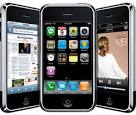
How to Unlock iPhone 4/3G/3GS Any iOS Safe and Fast

PitchEngine™ is not responsible or liable for the accuracy, validity or quality of this content. Users are solely responsible for the facts and accuracy of all information posted and shared on the Site. PitchEngine reserves the right to reject or hold social media releases that it deems not newsworthy in its judgment, at any time.

Limitation of Liability – in no event will PitchEngine be liable for any direct, indirect, incidental, special, exemplary or consequential damages (Including, but not limited to, damages for loss of business profits, business interruption, loss of programs or information, and the like). This disclaimer of liability applies to any damages or injury under any cause of action, including, without limitation, those caused by any failure of performance, error, omission, interruption, deletion, defect, delay in operation or transmission, computer virus or bug, communication line failure, theft, destruction or alteration of or unauthorized access to the Site or materials on the Site.

© Copyright 2011 PitchEngine, Inc.

Police blotter: Recent crime in Berkeley

This is a partial list of recent crimes in Berkeley prepared by the Berkeley Police Department and the UC Berkeley Police Department. For other sources of information on crime in Berkeley see Community CrimeView and Crimemapping.com.

Brandishing a Firearm, Sign Post 16, Grizzly Peak Boulevard – UCPD Case Number: 11-03145On Friday, August 19th, 2011, at 12:35 a.m., a 24 year old non-affiliate male was the victim of a suspect brandishing a firearm at Sign Post 16, along Grizzly Peak Boulevard, in Oakland.  The victim was parked at the University Sign Post. the suspect and his friends were also parked at the Sign Post and were playing loud music.  The victim asked the group to turn down the music and they threw rocks at the victim’s vehicle.  The victim again approached the group.  One group member apologized and another group member (the suspect) removed a silver handgun from a duffel bag and displayed it to the victim.  The suspect made a comment that his “38” (as in 38-caliber) could take care of the situation.  The victim immediately left the area.  UCPD and the East Bay Regional Park Police searched the area, but they did not locate the suspect or his associated vehicle: a grey, 2009, Pontiac, four door, with a California license plate of 6ENU064.

The suspect is described as: A White, male, approximately 20 year of age, 5’-08”, 180-pounds, blonde hair, wearing a white long sleeve shirt, khaki pants, and associated with a grey, 2009, Pontiac, four door, with a California license plate of 6ENU064.

Robbery Via Punch – Dwight Way & Piedmont Avenue #2011-45335A group of four young men, unknown if affiliated, were walking westbound on Dwight Way west of Piedmont Avenue on Sunday, August 14, 2011 at about 4:40 a.m. A group of four male suspects approached the young men. one of the victims was punched in the face and robbed of his wallet. Another victim was also punched in the face by one of the suspects who tried to take his cell phone. that victim was able to run away and call police. the group of suspects then fled northbound on Piedmont in an older American made burgundy or dark red 4 door vehicle. the initial victim sustained a bloody nose and complained of pain to his right cheek/jaw. BFD Paramedics transported him to a local ER for medical treatment and assessment. the other victim suffered a bloody lip, but refused further medical attention.

The victims and witnesses (all the friends walking) described the suspects as SU #1 “Black Male Adult, 18-24 years old, 5’10″ 6’00″ tall, 160-180 lbs wearing a dark hoodie and jeans plus 3 other unidentified Black Male Adults – no further descriptions provided. Officers did extensive area checks but were not able to locate the suspects or their car.

Auto Burglary via lock cheat – 1400 San Pablo Avenue 2011-45651A Berkeley woman came to the Public Safety Building (PSB) on Monday, August 15, 2011 at 6:37 p.m. to report an auto burglary that happened sometime the previous night. she told the case officer that she parked her car in the 1400 block of San Pablo Avenue and in the morning she discovered that someone had broken into it. she called her insurance company who advised her to file a police report. Stolen was an Apple iPad, Apple iPhone 3G, Canon Digital Camera, flash drives, cash and cases for the iphone and covers.

Auto Burglary via Window Smash – 2500 Block of Dwight Way – #2011-45780A woman and a male friend parked a 2006 Mini in the 2500 block of Dwight Way at about 1:00 p.m. on Tuesday, August 16, 2011. when they returned at about 2:00 p.m., the woman immediately noticed that her  right rear driver’s side window had been smashed and a laptop that belonged to her friend had been stolen. the Toshiba laptop and flash drives were in a black computer bag.

Attempted Residential Burglary – 1200 block of Burnett – #2011-46081At 11:25 p.m. on Wednesday, August 17, 2011, a Berkeley man called BPD reporting an attempted burglary to his home in the 1200 block of Burnett. He left the home at about 8:00 a.m. and when he returned at 10:45 p.m., he discovered that an unknown suspect forced open a locked wooden fence which surrounds the house and leads to the rear yard. After forcing the fence open, the suspect broke a window that was at ground level on the east side of the house. the window had bars over it but allowed enough space for a person to crawl under the bars. the window led into the basement which does not have access to the interior of the house. the suspect also attempted to gain entry to the house by prying the lock on the rear door of the house which is on the north side.

Drunk in Public Arrest – 2200 block of Shattuck Avenue – #2011-46076A community member called BPD on Wednesday, August 17, 2011 at 11:10 p.m. to report that a man was lying down in the 2200 block of Shattuck Avenue. the BPD officer who responded found a 30 year old Berkeley man lying on the ground in a puddle of urine. There was a strong odor of an alcoholic beverage on his person. she roused the man and he woke up.  the officer saw that the man was unable to stand or walk without assistance. the BPD officer determined that he was unable to care for his own welfare. the officer arrested him for PC 647 (f) –Drunk in Public to be cited when sober.

Traffic Enforcement stop – Warrant Arrest – #2011-46068On Wednesday, August 17, 2011 at 10:33 p.m., a BPD officer made a traffic enforcement stop at Jefferson Street and Dwight Way. A records check of the driver revealed he had an active $5,000 warrant for DUI. The  officer arrested the 26 year old Berkeley man for the warrant and booked him into jail.

Residential Burglary via open/unlocked door – 3000 block of Wheeler Street #2011-46051A woman called BPD on Wednesday, August 17, 2011 a about 8:00 p.m. to report that her purse and contents were stolen from her friend’s home in the 3000 block of Wheeler Street. the victim went to the friend’s to help her clean at 3:00 p.m. the victim told the officer that she placed her bag containing her property in the living room with other miscellaneous items. the front door of the apartment was left open because she and the friend were going in and out with items. Amongst the property stolen was her leather purse, leather coin purse, credit cards and ID, a passport, keys, eyeglasses and a digital camera.

BPD activity in recent days:

Audible Burglar AlarmsBetween Monday, August 15 at 9:12 a.m. and Thursday, August 18 at 5:15 p.m. BPD officers responded and investigated 34 audible burglar alarms of residences. all 34 were determined to be false – human error, wrong code, doors left ajar and other non criminal issues.

Welfare Checks – Monday, 8/15 through Thursday, 8/18 Between the times and days of Monday August 15 at 2:05 a.m. and Wednesday, August 17, 2011, BPD officers were dispatched to 16 welfare checks. these ranged from family members and friends not being able to reach loved ones to calls of someone exhibited unusual behavior to concerns for an individual who appeared ill.

Traffic Enforcement Stops 8/15 to 8/18 BPD patrol officers made 76 traffic enforcement stops throughout the City of Berkeley between Monday, August 15, 2011 at 12;19 p.m. and Thursday, August 18, 2011 at 6:17 p.m. these stops do not include the Traffic Bureau motor officers who make many stops per shift.

Logitech Tablet Keyboard for iPad

Advertisement

I’m a PC user at heart, but I can’t deny that I’ve grown quite attached to my fiancée’s iPad. It’s a great sit-back-and-kill-some-time gadget, and it’s arguably the best 10in content-consumption device currently on the market.

As the other half quite often puts it; “it does everything I need”. but does it? sure, the iPad’s great if you’re just checking Facebook, reading the news and slinging some miffed-off birds, but if you draw yourself away from all those apps and attempt to be productive, you may find the touch-screen interface to be an inhibiting factor.

That’s precisely why I still carry both my BlackBerry and my notebook when I travel: I can’t make do without a proper keyboard. but what happens when you add a proper keyboard to the iPad? can the tablet then replace the notebook? To find out, I’ve spent a week using Logitech’s aptly-titled Tablet Keyboard for iPad.

The slim, portable accessory fetches a lofty £50 at retail and claims to “add a touch of convenience to all the places you use your tablet”. we can see the logic, but there’s an immediate sense of inconvenience; the keyboard, in its smart leather case, tips the scales at 614g – that’s more than a second-generation iPad (600g), and it goes against the portable philosophy of the tablet form factor.

If you’re willing to make do with the extra bulk, Logitech has put together a visually-attractive package and the leather keyboard sleeve is more than just a token gesture. Slip it off, fold it open, lock the plastic base, and it transforms into a surprisingly sturdy stand that’s adjustable to an angle that suits your needs. better yet, it’ll quite happily prop up an iPad in either portrait or landscape orientation.

It’s a shame it doesn’t double as an iPad cover – ala the pricier clamcase – but it’s a neat-enough solution that’s quick and easy to configure. There are no wires, power is supplied by four AAA batteries, and the keyboard connects to any iOS device (yes, that includes the iPhone and iPod touch) via Bluetooth at a typical range of up to 30ft.

Setup is as easy as searching for Bluetooth devices from the iPad settings menu, choosing the Logitech keyboard, typing in an on-screen pin code and hitting enter. What’s useful is that the keyboard can also be paired with most other Bluetooth devices, though there is a catch in doing so. While experimenting, we found the keyboard connected just fine to a PlayStation 3, but then realised that it remembers only one pairing – so don’t expect a seamless switch between multiple devices.

The keyboard itself is lovely-looking, and at 29cm in length it’s wide enough to not feel cramped. A power switch is located along the top-right edge to help conserve battery life, and it’s joined by two status LEDs; a Bluetooth indicator that’ll blink green when connecting, and a battery indicator that’ll flash red when you’re about to run out of juice. Around the back, the keyboard sports four rubber feet and a Bluetooth connect button – but there’s no flip-out stand for tilt adjustment.

During use, we experienced no visible input lag and while the flat, island-style keys offer no contour, they’re surprisingly enjoyable to use. all the keys are well spaced out and their soft, quiet spring feels satisfying beneath the fingers.

What makes Logitech’s solution more attractive is a series of function keys designed specifically for the iPad. There’s a dedicated Home button where you’d normally find the Escape key, and combining the function and number keys allows the user to select various multimedia shortcuts. These include display slide show, show/hide on-screen keyboard, play/pause, mute and lock.

Shortcuts for cut, copy, paste and undo are also easily accessible (cmd+x, cmd+c, cmd+v and cmd+z, respectively), but there’s frustratingly little beyond that. it took us only minutes to realise that this is a keyboard trying to make its way in a decidedly touch-screen world. for example, if you’re browsing the web using the iPad’s Safari app, there’s no way to access the address bar without reaching out and touching it, and the keyboard’s up and down arrow keys don’t allow you to scroll through a page.

Functions you’d expect to be there simply aren’t, and the limitations are at times baffling. the keyboard has a dedicated search button, but use it to find content and you’re left unable to select the results without using the touchscreen. Similarly, pressing the home button returns you to your home screen as expected, but there’s then no way to then load another app without… you guessed it, reaching out for the touchscreen.

There are other frustrations, too. if Logitech’s Tablet Keyboard is left on and within range, the iPad’s on-screen keyboard will cease to be displayed automatically – even if you do have the tablet in your hands. just want to quickly enter a web address or send a brief email? You’ll need to find the keyboard and turn it off, or disable the iPad’s Bluetooth radio.

The myriad of usability quirks has allowed us to reach an inevitable conclusion; the usefulness of the Tablet Keyboard for iPad is limited to text entry in a handful of apps. whereas a notebook can quite easily be used without a trackpad, the iPad relies so heavily on its touchscreen interface that it makes it impossible for Logitech’s Tablet Keyboard to take up a central role. It’s a shame, really, as Logitech’s tidy hardware is deserving of better software support.

Bottom line: if you do a lot of writing on your iPad, the Logitech Tablet Keyboard could prove to be a valuable accessory. but make no mistake, if text entry is your primary concern, the makeshift combination of iPad and keyboard is a distant second to a cheap-and-cheerful notebook.

The Good

Comfortable typing action Doubles as an iPad stand Attractive design Simple setup

The Bad

Limited app integration leaves you reaching for the screen Weighs more than a second-gen iPad Remembers only one Bluetooth device

HEXUS.ratingLogitech Tablet Keyboard for iPadHEXUS.where2buy

The Logitech Tablet Keyboard for iPad is available to purchase from amazon.co.uk and logitech.com.

HEXUS.right2reply

At HEXUS, we invite the companies whose products we test to comment on our articles. if any company representatives for the products reviewed choose to respond, we’ll publish their commentary here verbatim.

Please share this: HEXUS related reading HEXUS.net – press releases :: Logitech Squeezebox™ now with Orange Liveradio HEXUS.net – press releases :: Simplify your Living Room: Logitech Harmony 200 Remote Unveiled HEXUS.net – news :: Logitech launches entry-level Harmony 200 Remote HEXUS.net – press releases :: Logitech Announces Compact Wireless Keyboard HEXUS.net – reviews :: Logitech Wireless Solar Keyboard K750 HEXUS.net – press releases :: Masterpiece, Meet your Maker – the Pogo Sketch Pro HEXUS.net – press releases :: The all new Powerful Duracell line up HEXUS.net – press releases :: Compro Technology, today announce S900 DVB-S/S2 TV Tuner Box in UK market HEXUS.lifestyle – news :: Bonusprint gets in the iPad app game HEXUS.net – press releases :: HAUPPAUGE LAUNCHES NEW APP TO WATCH LIVE TV ON AN iPADAll Logitech related content on HEXUS

Jobs resigns as Apple CEO

Updated August 25, 2011 11:50:35

Ailing Silicon Valley pioneer Steve Jobs has resigned as chief executive of Apple in a stunning move at the technology giant he co-founded in a garage.

The 55-year-old Apple co-founder was diagnosed with a cancerous tumour in his pancreas in 2004 and has been on medical leave for an undisclosed condition since January 17.

In a letter to Apple employees released this morning, Mr Jobs outlined his reasons for standing down:

I have always said if there ever came a day when I could no longer meet my duties and expectations as Apple’s CEO, I would be the first to let you know. Unfortunately, that day has come.

I believe Apple’s brightest and most innovative days are ahead of it. And I look forward to watching and contributing to its success in a new role.

I have made some of the best friends of my life at Apple, and I thank you all for the many years of being able to work alongside you.

Steve Jobs

Apple says Mr Jobs will still have a place at the company in the position of chairman, while former chief operating officer Tim Cook has been elected chief executive.

Apple shares fell 7 per cent in after-hours trading in the wake of the announcement.

Mr Jobs oversaw the company’s most prosperous period, including the design and launch of the iPhone and iPad, as this chart tracking Mr Jobs’ achievements and the Apple share price shows:

“Steve’s extraordinary vision and leadership saved Apple and guided it to its position as the world’s most innovative and valuable technology company,” Apple board member Art Levinson said.

“The board has complete confidence that Tim is the right person to be our next CEO.

“Tim’s 13 years of service to Apple have been marked by outstanding performance, and he has demonstrated remarkable talent and sound judgment in everything he does,” Mr Levinson continued.

Mr Cook ran Apple when Mr Jobs went on medical leave and has essentially been running day-to-day operations since early this year, with the company racking up record revenue and profit.

A university dropout, a Buddhist and a son of adoptive parents, Mr Jobs started Apple Computer with friend Steve Wozniak in the Jobs family garage in Silicon Valley. He was just 21 and Mr Wozniak 26.

The company soon introduced the Apple I computer.

But it was the Apple II that became a huge success and gave Apple its position as a critical player in the then-nascent PC industry, culminating in a 1980 IPO that made Mr Jobs a multimillionaire.

Despite the subsequent success of the Mac, Mr Jobs’ relationship with internal management soured, and in 1985 the board removed most of his powers and he left the company, selling all but one share of his Apple holdings.

Apple’s fortunes waned after that. However, its purchase of NeXT – the computer company Mr Jobs founded after leaving Apple – in 1997 brought him back into the fold.

Later that year, he became interim CEO and in 2000, the company dropped “interim” from his title.

No reason was given for Mr Jobs’ resignation, but his health problems, including lengthy medical leave for a liver transplant in 2009 and his increasingly gaunt appearances at public events, fuelled speculation he would have to give up the everyday running of the company he co-founded in 1976.

He is seen as the heart and soul of Apple, with analysts and investors repeatedly expressing concern over how the Cupertino, California-based company would handle his departure.

ABC/Reuters

Topics: science-and-technology, computers-and-technology, business-economics-and-finance, company-news, united-states

first posted August 25, 2011 08:54:26

Hands-On With the Droid Bionic, Verizon’s 4G Screamer

The Droid Bionic is here, and to some, it couldn’t have come soon enough. It’s rare to see such a feverish level of anticipation for a non-Apple smartphone, but everyone’s been buzzing about Motorola’s latest 4G LTE handset — so far the only dual-core phone available for Verizon’s 4G network.

The Droid Bionic will go on sale Thursday morning at Verizon stores and through Verizon’s website for $300 with a 2-year contract, $590 without a contract. we received a phone two days early, and these are our initial impressions after spending only a few hours with it. A full review will follow next week.

First, this is not the same Droid Bionic we saw at CES way back in January when the phone was announced. most of the specs are the same, but the physical case has been redesigned. most notably, the phone is slimmer, the corners are slightly sharper and the chin is not as prominent — all pluses in my book. it does retain the same slightly rubberized back of the CES version to give it more grippiness. it has a bit of a hump on the back, on the top half where the camera is.

The guts are entirely the same: a 1-GHz dual-core processor, 1 GB of RAM, 16 GB of internal storage plus a microSD card slot that ships with a standard 16-GB card (you can swap in cards as big as 32 GB). There’s an 8-megapixel camera on the back, a VGA camera on the front,

The touchscreen measures 4.3 inches, and houses a qHD (960 × 540) display panel under a layer of Gorilla Glass. Unlike the recent Droid 3, there’s no physical keyboard.

For connectivity, you get HDMI and USB. The headphone jack is at the top, as is the power/wake button — I’ve seen some grumbling on the blogs about the placement of the power/wake button, but I quite like it where it is. There’s also a volume rocker. The phone does not have a dedicated camera-shutter button.

I’d expect nothing less than awesome performance, as we’re currently closing the book on phones with less than a dual-core chip and a gig of RAM, but the Bionic really stunned me with how snappy it is.

It’s running Android 2.3.4 with the recently redesigned MotoBlur on top — Motorola’s skin for Android that aggregates your favorite contacts and social networking feeds across a few home-screen widgets.

But who cares about widgets — how fast is it?

I can tell you, it is very fast. The user interface is extremely smooth and responsive. I’d expect nothing less than awesome performance, as we’re currently closing the book on phones with less than a dual-core chip and a gig of RAM, but the Bionic really stunned me with how snappy it is.

And the 4G speeds here in San Francisco only heighten the experience. YouTube videos load in just a few seconds, even for HD clips. Websites load extremely fast — even Wired.com! — and the JavaScript-heavy pages I tried, like mobile Gmail and Facebook’s mobile site, were as smooth and responsive as native apps.

The screen is bright, and it has an antiglare coating that makes it pop outdoors. But I’m a little disappointed the screen is not sharper. It’s tough to see any rough edges when watching videos or when sweeping through the main UI, but when reading web pages or looking at photos with subtle gradients, the lack of precision is a drag. I held it up against the iPhone 4’s display and saw a noticeable difference.

The camera is fast, which is a nice change from the terribly sluggish camera on the iPhone and even on other current dual-core Android phones. Also, the video camera can capture 1080p HD movies, and the front-facing camera can be used to video-chat over Google Talk with any other capable phone, tablet or laptop.

The Droid Bionic can be used as a 4G hot spot, serving up to five other devices, but we didn’t test that yet. something else we haven’t been able to test yet is battery life — Motorola claims 650 minutes of talk time and more than 200 hours of standby from the 1735-mAh battery, but we’ll see what a few days of heavy use does to it.

There are three microphones on board for noise cancellation, but the call quality isn’t totally fantastic. I could hear the other party loud and clear, but the people I called said they heard a lot of hissing in the background. But hey, at least the calls went through immediately and didn’t drop.

There are a few apps preloaded, but not many. You get ZumoCast (the “access your PC or Mac desktop from anywhere” app we also saw preloaded on the Droid 3), and Netflix is only a download away.

There’s also the Motorola “webtop” experience — a sort of dumbed-down desktop that we first saw on the Motorola Atrix earlier this year. You can hook up your phone to a big screen and use a keyboard and mouse to access mobile apps and a real-ish version of Firefox.

Just like on the Atrix, the “superphone” webtop mode is accessed through various accessories. and in the accessories department, the Droid Bionic rolls with an entourage deeper than Diddy’s:

  • A $300 “lapdock,” a laptop dock just like the one for the Atrix, though the two are not interchangeable.
  • A $100 charging dock with USB and HDMI ports for connecting a display and input devices.
  • A $30 adapter for connecting the phone to an HMDI display to get to the webtop mode.
  • A $50 battery-charger dock that can charge your battery outside the phone.
  • A $40 car nav dock that mounts on your dashboard switches the Droid into a minimalist “auto mode,” bringing maps, music and Bluetooth menus to the fore.

That’s enough plastic to fill Haleakala. The company gave us all of the accessories, so we can tell you whether or not any of them (and webtop) are worth the extra cash once we test all of them. it wasn’t the case with the Atrix.

Look for a full review next week.

Photos by Jim Merithew/Wired

Apple gives green light to Eton solar cell iPhone case • reghardware

IFA 2011 At IFA in Berlin, Eton set a shining example among the iPhone 4 portable chargers with its Mobius battery case that features a solar panel on the back.

Eton Mobius iPhone 4 solar charger

As is the norm with portable solar products, the panel keeps a secondary battery topped up that then offloads its power into the rechargeable battery of the attached product.

Eton Mobius iPhone 4 solar charger

With the Mobius, an hour of sunlight will gets you around 25mins of talk time, 20mins of Internet use, 35mins of video or just over a couple of hours of audio playback. On a full charge, these figures increase to hours with totals of five, eight, eight and 32hrs repectively.

Eton Mobius iPhone 4 solar charger

A light on the side of the unit indicates when it is charging the 1800mAh battery, and there is also a micro USB port for topping up from power sources and for iTunes sync.

At 62 x 120 x 22mm and 96g, the Eton Mobius does add bulk to your iPhone 4, but not much more than other conventional juice packs.

On the floor of the IFA show, Eton VP John R. Smith was beaming with the news that Apple had just approved the Mobius iPhone solar charger/case combo a few days earlier. Pricing has yet to be announced. ®

Buy New/Original Apple iPad2 wifi 3G & Apple iPhone4G. All Unlocked Diff Model.

Description

Sales of New & Original iPad2 and iPhone 4G@$330 usd.we are a Legitimate Seller & distributorof all kind of Mobile Phones at an affordable offerApple iPads, Apple iPhones, iPods, Nokia, Black Berry,HTC, Sony Phones, Samsungs, Macbooks & Cameras.

CONTACT SALES PERSON: Antonios or mark.Tel No :+44(0)7024076792

Place your Order Today with PHONEBASE LTD®*. Full name:*. Full Mailing Address:*. Country:*. Unit(s):*. Phone No:

GENUINE APPLE IPAD:Apple ipad 3G 16gb…..$280 USDApple iPad 3G 32GB…$330 USDApple iPad 3G 64GB…$359 USDApple iPad2 16GB Wi-Fi + 3G…$344.00Apple iPad2 32GB Wi-Fi + 3G…$372.00Apple iPad2 64GB Wi-Fi + 3G…$409.00

Apple iphone 4G 32GB….$342 USDApple iphone 4G 16GB….$298 USDApple iphone 3G 32GB…$279 USDApple iphone 3G 16GB…$243 USDApple iphone 3G 8GB…$193 USDApple iPhone 3GS 8GB…$260 USDApple iPhone 3GS 32GB Black/White.$300.00Apple iPhone 3GS 16GB Black/White.$280.00

WARANTY & GUARANTEE:12 months international warranty from date of purchase to all our costumerLocally and Internationally. all our GSM Guaranteed to work SIM FREE to all Phones.100% Secure guarantee on Payment/Transaction & 30days Money back Guaranteed.

SHIPMENT :will ship Internationally Via…(FedEx/Dhl/Ups)Delivery Takes: 48-72 hrs (2-3days) after payment confirmation without any delay.

Contact us for your Full details and for your specific items demand.Order from Us and we’ll give you the most competent services You ever had.

CONTACT US VIA E-MAIL BELOW.phonebase.limited90@

MEET US WITH YOUR ENQURIES ”LIVE ONLINE”:Skype CHAT: phone.base.limited90Google TALK: phonebase.limited90Yahoo CHAT: phonebaseltdMsn CHAT:

We always There To Serve You right!.

Apple’s App Store Surpasses Half-a-Million Apps

After less than three years of existence, Apple’s App Store has accumulated half-a-million mobile apps.

The iTunes App Store, which launched in the summer of 2008, surpassed the 500,000 milestone Tuesday morning, according to 148Apps, an iPhone app reviews blog that has been tracking the store closely.

To be clear, that’s 500,000 apps that Apple has approved — they’re not necessarily live yet. in the United States, the App Store is just shy of reaching 400,000 apps available for download.

“the fact that it has taken less than three years to reach this number is remarkable,” said Jeff Scott, editor of 148Apps. “with the improved tools for developers and steady adoption of smartphone technology, I anticipate there is still a lot of runway.”

Since its birth, Apple’s App Store has expanded rapidly, from 500 apps on day one to 100,000 about one year later. on the iPhone, iPad and iPod Touch, the App Store is the only official channel for customers to download and purchase third-party software with the tap of a button.

The App Store’s seamless, friction-free purchasing process provided an efficient business model for the software industry. Prior to the App Store, independent software coders had a difficult time competing against larger software companies with big budgets. Many tried marketing and selling their apps with methods such as the shareware model, or on their personal websites, but few found success through these ad-hoc channels.

After the App Store exploded, other competitors launched their own app stores. Google’s Android app market, which launched eight months after the App Store, is the closest rival, with about 300,000 apps to date.

To celebrate the App Store’s half-a-million milestone, Scott of 148Apps collaborated with Chomp, a company that makes an app search tool, to create a large infographic (see full graphic below the jump) summarizing statistics about the app landscape.

Some tidbits from the App Store infographic:

  • it would cost $891,982.24 and over 7 terabytes to download all available applications.
  • Approximately 36 percent of all apps are free, and paid apps have an average price of $3.64
  • Angry Birds has held the number 1 paid spot more than any other app at 275 days total.

At one point does quantity no longer matter? Nobody needs 500,000 apps, but I’ve argued in the past that the more apps an app store accrues, the more likely it can fill every need for various professions, hobbies and special interests.

See also:

  • The 19 Most Wired iPhone and iPad Apps of 2010
  • iPhone App Store approaches 1 Billion Downloads
  • Apple Pre-Celebrates App Store’s first Birthday
  • App Sales Sluggish, despite Android’s Popularity

Confessions of an appaholic

4 billion-plus: Number of mobile phones globally

3 billion: Number of mobile phones that are SMS (Short Message Service) enabled

1 billion: Number of smartphones

600 million-plus: Number of Facebook users, with more than one-third of Facebook users using Facebook Mobile

200 million-plus: Number of all users (one-third) who access Facebook from a mobile device

200 million-plus: Number of YouTube views seen on mobile devices per day

165 million: Number of Twitter users, with more than 50 percent of them using Twitter Mobile

91 percent: of all mobile Internet use is to socialize versus 79 percent on desktops

86 percent: of mobile users are watching TV while using a mobile phone

29 percent: of mobile users are open to scanning a mobile tag to get coupons

35-54: Age range of women, who are the most active group in mobile socialization

2.7: Number of hours per day on average Americans spend socializing on their mobile device, more than twice the amount of time spent eating and more than one-third of the time that is spent sleeping daily

2014: when mobile Internet usage will overtake desktop Internet usage

2011: more than 50 percent of all local searches are done from a mobile device this year

Games: 64 percent

Weather: 60 percent

Social networking: 56 percent

Maps/navigations/searches: 51 percent

Music: 44 percent

News: 39 percent

Entertainment: 34 percent

Banking/finance: 32 percent

Video/movies: 26 percent

Shopping/retail: 26 percent

Dining/restaurant: 26 percent

Sports: 25 percent

Productivity: 21 percent

Communication (IM, VoiP): 20 percent

Food/drink: 18 percent

Travel: 18 percent

Health: 13 percent

Education/learning: 11 percent

Household/personal care: 6 percent

Sources: Microsoft, Digital Buzz blog

Marcia Whyte admits she has a problem.

The independent consultant for Transworld Systems is addicted to her smartphone and the apps she downloads.

“My husband suggested I enter a 12-step program. he doesn’t understand why I need all of this,” Whyte said as she scrolled the nearly dozen “screens” on her iPhone filled with apps. “I’m pushing myself to do more with my phone. you spend so much money on it. I can’t imagine my life without it.”

As more people go mobile, they’re taking the time to find new ways to make their life easier and fun through the thousands of applications available.

From project management and personal finance to shopping and entertainment, there is an app for just about anything and some users aren’t holding back.

“I certainly see it in action,” said Jay Witherspoon, director of advertising for Cellular Sales. “There’s all sorts of app crack out there. and it’s so diverse. you could be addicted to Facebook and you could be addicted to WebMD.”

A recent report by Nielson shows that 64 percent of users who downloaded an app in June downloaded a game.

Weather, social networking and apps that fall into categories of maps, navigation and searches are also very popular apps, followed by music and news apps.

There are hundreds of thousands of apps, and their availability varies depending on what smartphone you have.

Working for the largest Verizon Wireless retailer in the country, Witherspoon has seen how apps can dictate what type of phone a person gets. For instance, someone may opt for an Android phone over an iPhone or vice versa because that person can’t get the exact Scrabble app he or she wants.

A few months ago, Traci Cash switched from a Blackberry to an HTC Merge, an Android device for U.S. Cellular providers.

“I absolutely love it. I don’t know what I would do without my apps,” said Cash, a field marketing manager for U.S. Cellular who admits she’s an app addict. “The apps take it to the next level.”

Cash believes most people are interested in apps that simplify their lives and keep them organized. the more apps they have the more connected they feel and the more integrated the phone is in their life.

Rachel Duke, marketing and catering director for Brixx Wood Fired Pizza in Knoxville, said her iPhone — complete with a sparkly, bejeweled cover — never leaves her side.

“I can rule the world during happy hour,” Duke said. “It literally makes me more efficient. There’s an app for anything that I ever need and most are free.”

Duke’s first app was the Weather Channel. She now has more than 120 on her phone, though she’s still anxiously waiting for ORNL Federal Credit Union to create one.

Some apps are organized into folders, but the ones she uses the most, like all her social networking apps, are not.

Her husband used to tease her about her addiction, but then he would steal her iPhone until he finally got his own.

Because he travels, they often use Tango, a video chat app, so he can talk with his three sons.

“All my friends think I’m a geek,” Duke said. “But until you have a smartphone, you don’t understand how useful it can be.”

Rather than tote around a big planner, Whyte’s husband persuaded her 25 months ago to give up her Nokia flip phone for an iPhone.

Within eight weeks, Whyte had been bitten by the bug.

“When I saw all that it could do, I was hooked. It infected my whole body. my phone is always within arm’s reach, even at night,” she said. “It’s fun. It’s customizable, and it doesn’t hurt anybody.”

After an app passes her test, it gets moved to its rightful place. Her apps are organized neatly in alphabetical order spanning nine screens on her iPhone. She even has more than two dozen phone cases that she changes out every month. She downloads wallpaper from a wallpaper app to coordinate her phone and case.

“A lot of times I’ll be reading and I’ll learn about an app, so I’ll download it and look at it later. sometimes, if you get it and it doesn’t really do what you thought it would, you just take it off,” Whyte said.

She recently ran out of memory on her 3G iPhone and had what she called the “painful” task of deleting some.

Gone is the Kindle book reading app, the popular angry Birds game and Bump, the app that allows smartphone users to bump their phones together to exchange contact information.

“I grew up reading books,” Whyte said. “And I know angry Birds is like a cult phenomenon, but it did nothing for me.”

Whyte even has been known to put apps on her husband’s phone like the Walgreens and Handyman Sidekick apps.

“He’ll ask me if I put something new on his phone,” she said. “I just think he’ll find them useful.”

When Claire Presnall got her first smartphone several years ago, “it changed how I did everything.”

“I’m addicted. It’s pretty obvious when you see me,” said Presnall, a 33-year-old photographer who owns Rebecca Claire Photography. “It’s really convenient. I can have everything I would normally have on my laptop in my hand, in my purse. Pretty much everything is on it. I can’t think of anything I can’t do with it.”

A lot of the apps that come with the phone are really good, including the maps and voice recorder apps, she said.

She uses the free texting app Beluga so she doesn’t have to worry about exceeding her data plan, and she recently added the recipe-finder app BigOven. One of her favorites is Cheap Gas.

“You have to have your location turned on or you enter your ZIP code and it will find the cheapest gas in the area. I use it all the time when traveling,” Presnall said.

Richard Fung, director of health plan contracting for Summit Medical Group, initially dismissed the hype.

Fung has had his refurbished iPhone for six months and likens it to a Swiss Army knife.

He uses it to take pictures and video. he uses the notepad and even checks out books from the library using the Overdrive app.

“I thought it was unnecessary, but it’s been really useful,” Fung said.

LG Display Great News for App Development

LG new display is great news for app development

We rarely talk about hardware, but we’re making an exception with this one: LG just announced its first 4.5-inch screen with HD resolution (1280 x 720 pixels).

LG not only makes smartphones, or televisions for that matter. The company is also well know for its high-quality computer monitors. LG’s most-recent achievement is the NOVA screen, which offers very good brightness and is currently one of the best reading experiences under full sunlight conditions. The NOVA technology is found on the Optimus Black smartphone. LG also offers In-Plane Switching (IPS) displays, which are present on the Optimus 2X or the Asus EeePad Transformer, for example.

The next generation of IPS screens will be called AH-IPS, which stands for Advanced High Performance In-Plane Switching. The diagonal is 4.5 inches, with a whopping resolution of 1280 x 720 pixels. This will enable it to obtain a pixel density of 329 dpi. By comparison, Apple’s iPhone 4, which is still THE reference in high-resolution smartphone technology, has the Retina Display screen that has a dpi of 326. A little trivia: it is LG that supplies the Retina Display screen to Apple.

There was an independent report conducted by Intertek, regarding IPS’s color fidelity. The report found that the IPS and the AH-IPS have a much better color fidelity than Samsung’s AMOLED screen technology. in terms of energy consumption, the display consumes the same amount of energy for both clear and darker images, which is not the case for AMOLED.

Such performances bring the user to a new dimension, as smartphones are more readable and the graphics made more real. great news for both iPhone and Android app development. we can’t wait to get our hands on this…